

A SHARED VIEW, ACROSS BORDERS
Know what is happening on your farm—even when you live abroad.
Follow production, stock, sales and accounts in one workspace. Your team records the day’s work on the farm and you can review the results from wherever you are.
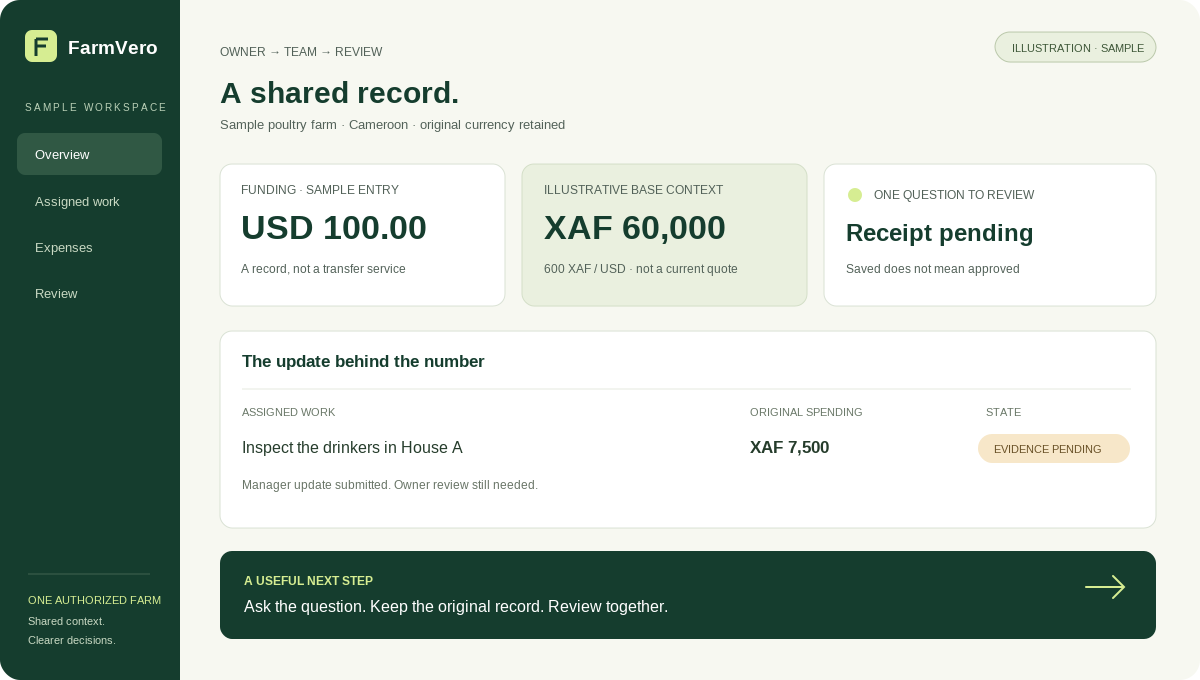
FROM THE FIELD TO REVIEW
One workflow, from work to review.
Choose the authorized farm, assign work and capture spending. Supporting evidence and visible states help the team resolve questions before approval. The funding register tracks contributions and the amounts received.
- Choose the farm
Start in the authorized farm context. - Assign the work
Make the next task clear to the team. - Capture the update
Keep spending and supporting evidence together. - Review & clarify
Resolve questions before approval.
Built for owners. Practical for the people doing the work.
Review spending and progress without chasing every update. Give managers a clear view of what is saved, what is waiting to sync and what still needs clarification.
FOR OWNERS
Stay close to the work.
Review spending and progress with the context attached.
FOR FARM TEAMS
Make your work easier to explain.
See what is saved, what needs to sync and what needs clarification.
CLEAR FINANCIAL CONTEXT
Keep the currency context.
Original amount
USD / XAF
Review context
A documented, dated rate
FarmVero keeps the original amount and currency with each transaction. When an expense is approved, the record includes the exchange rate used and its date.
Why keep the original currency?
The original amount and the documented review rate explain how the record was interpreted. This display is an illustration, not a live exchange quote.
DESIGNED FOR FIELD CONDITIONS
Capture work when the network is weak.
Save on device
Sync when connected
Review online
Prepare your device online to record supported tasks and expenses without a connection. When you reconnect, sync your drafts and check their status.
Before relying on offline capture
Prepare the device while online. Browser storage and access permissions must remain available. Keep an eye on unsent work; review and posting require a connection.
Farm reports
Filter production, stock and financial reports by farm and period. Each report shows its available export formats.
POULTRY FIRST
Shaped by the realities of farm operations.
EzzyBooks LLC operates FarmVero. Its first customer, OTAFARMS, brings experience from day-to-day poultry operations.
Tools for your farm
Browse features by activity, from flock records and crop harvests to receipts and payroll.
Explore all featuresPricing
Compare plans by the number of farms and employees in your organization.
Integrations
Find your POS or accounting platform and follow its guide to import records.
What you need to know.
Who is FarmVero for?
FarmVero is designed for owners and teams who need a shared record of farm work, spending and results. Initial work focuses on diaspora owners and managers on the ground.
Can the team work without internet?
Prepare the device while online. You can then record supported tasks and expenses offline. Sync when you reconnect and check that the records reached the farm workspace.
Does FarmVero send money?
FarmVero records funding sent and received. Open Finance → Funding to enter the transfer reference, amounts and fees, then record the acknowledgment. Your bank or payment provider handles the transfer.
Do photos and timestamps prove work happened?
No. They provide context. Offline capture times are device claims, and the server separately records receipt. Photos can show an older image or the wrong scene.
Can I manage several farms or organizations?
One subscription covers one organization. The number of farms depends on its plan. Assign each member access to the farms they work with.
Can an adviser or family member see records?
Available roles must be explicitly granted for the authorized farms. An agronomist does not automatically receive finances; a viewer does not automatically receive private evidence.
Can I export reports?
Open Reports center, choose a report and set its dates and filters. Use Print, PDF or Excel when offered for that report. Inventory Stock Summary and Feed Mill Stock by Store include on-hand, reserved and available quantities for the selected date in all three formats.
Is this only for poultry?
Poultry and crop production share the same farm workspace. In Crop production you can plan a season, log fieldwork, weigh each harvest and review yield by plot and cycle. Try planting and harvesting a sample field in the live demo.